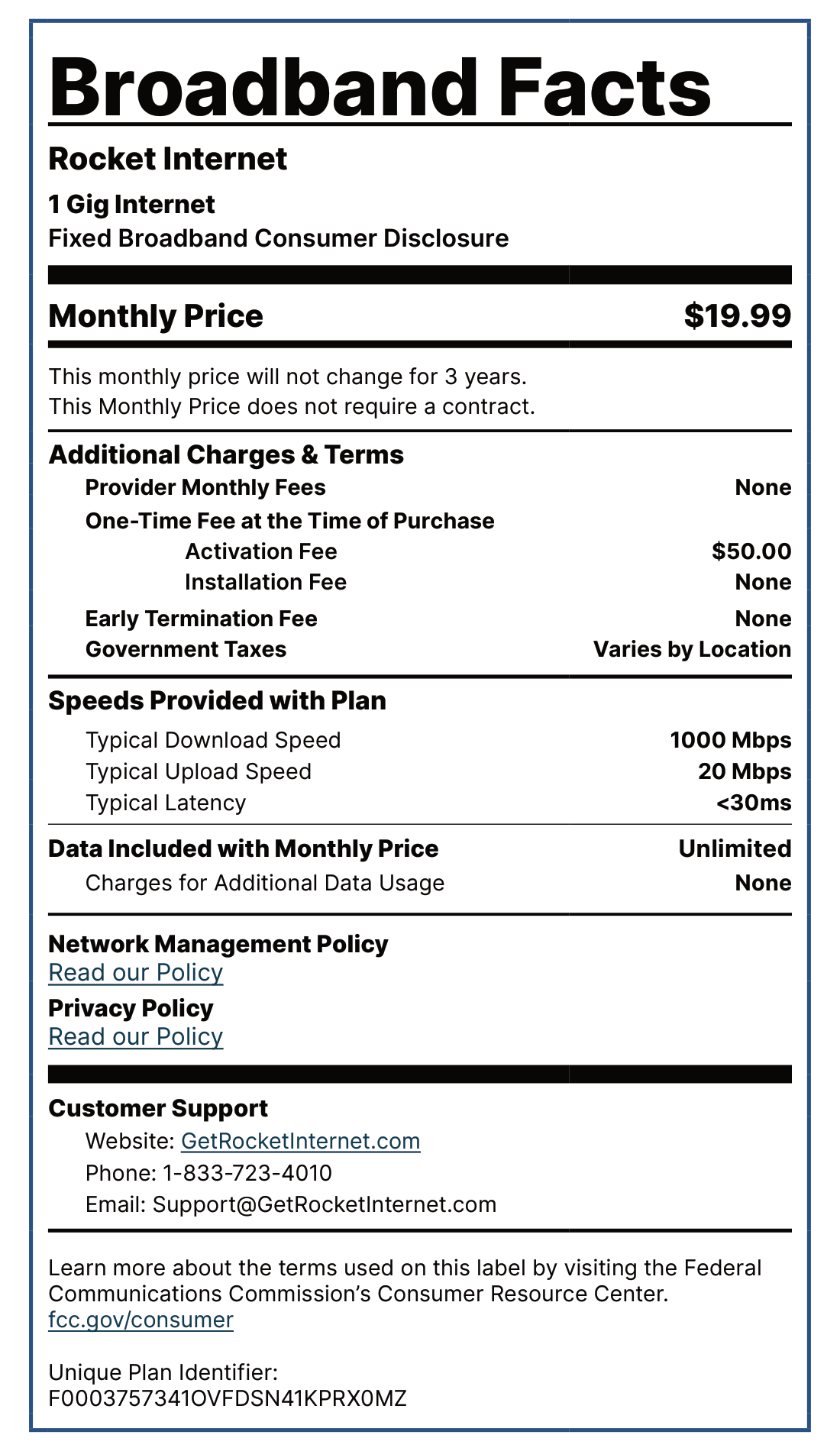
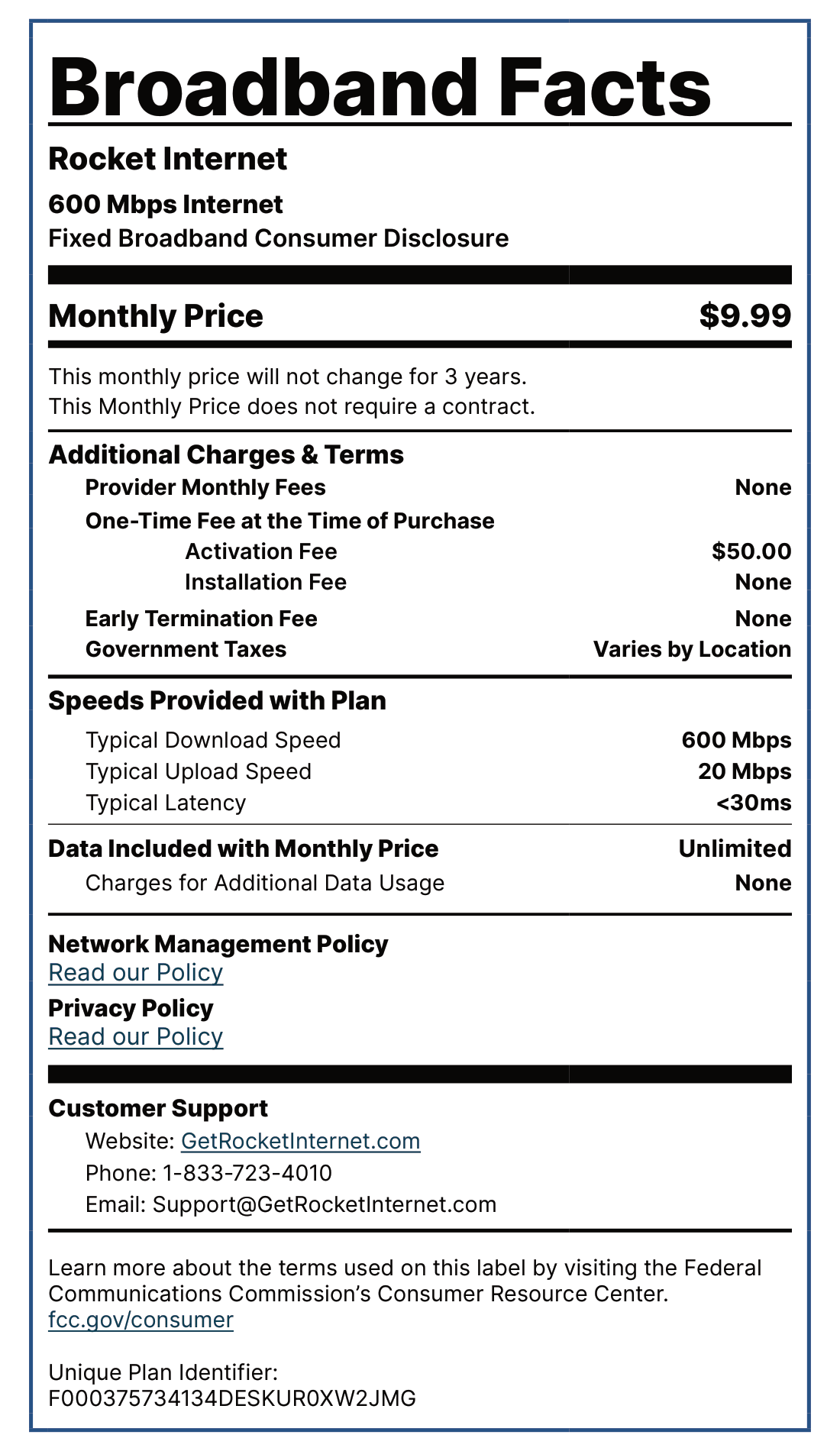
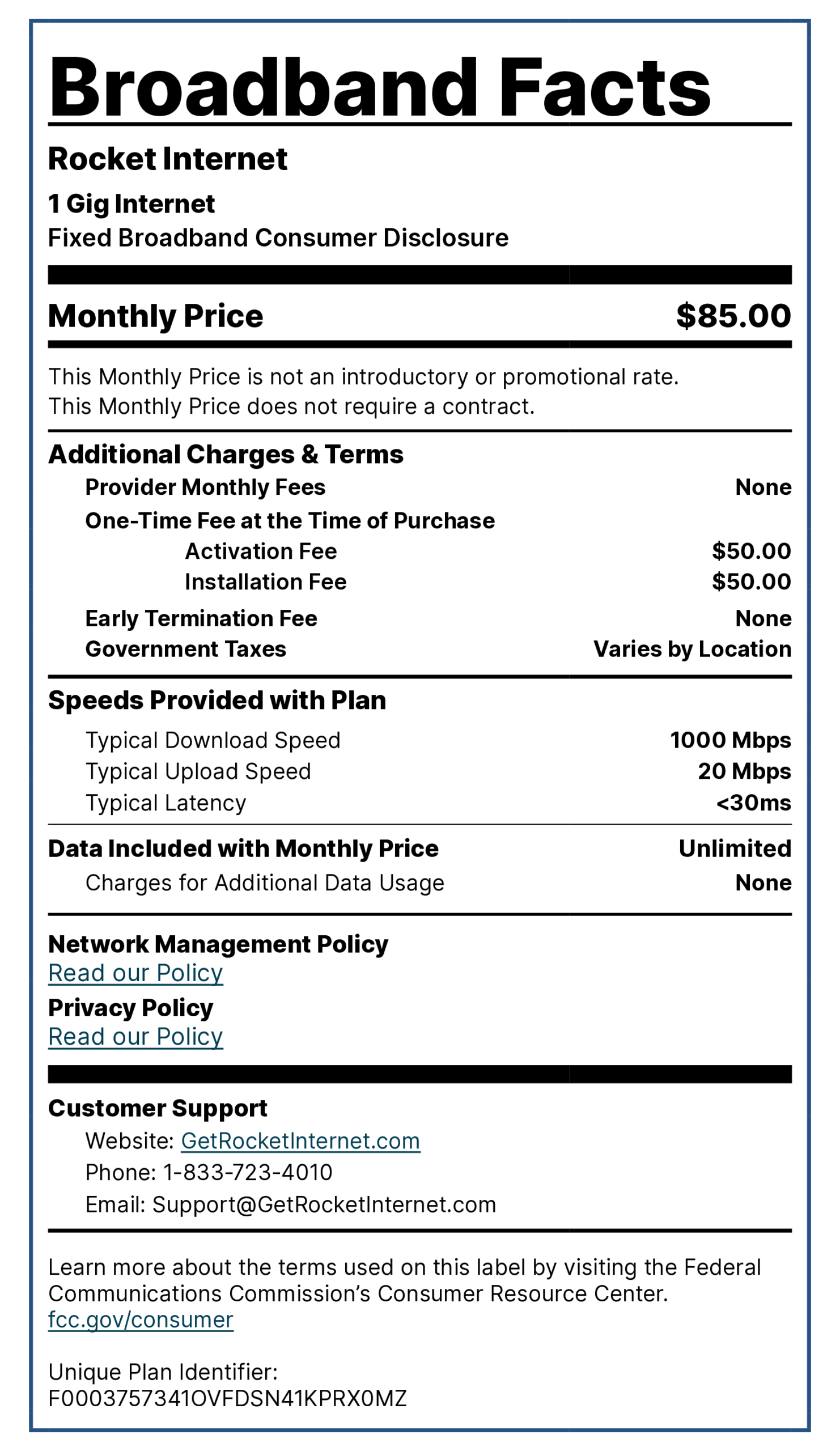
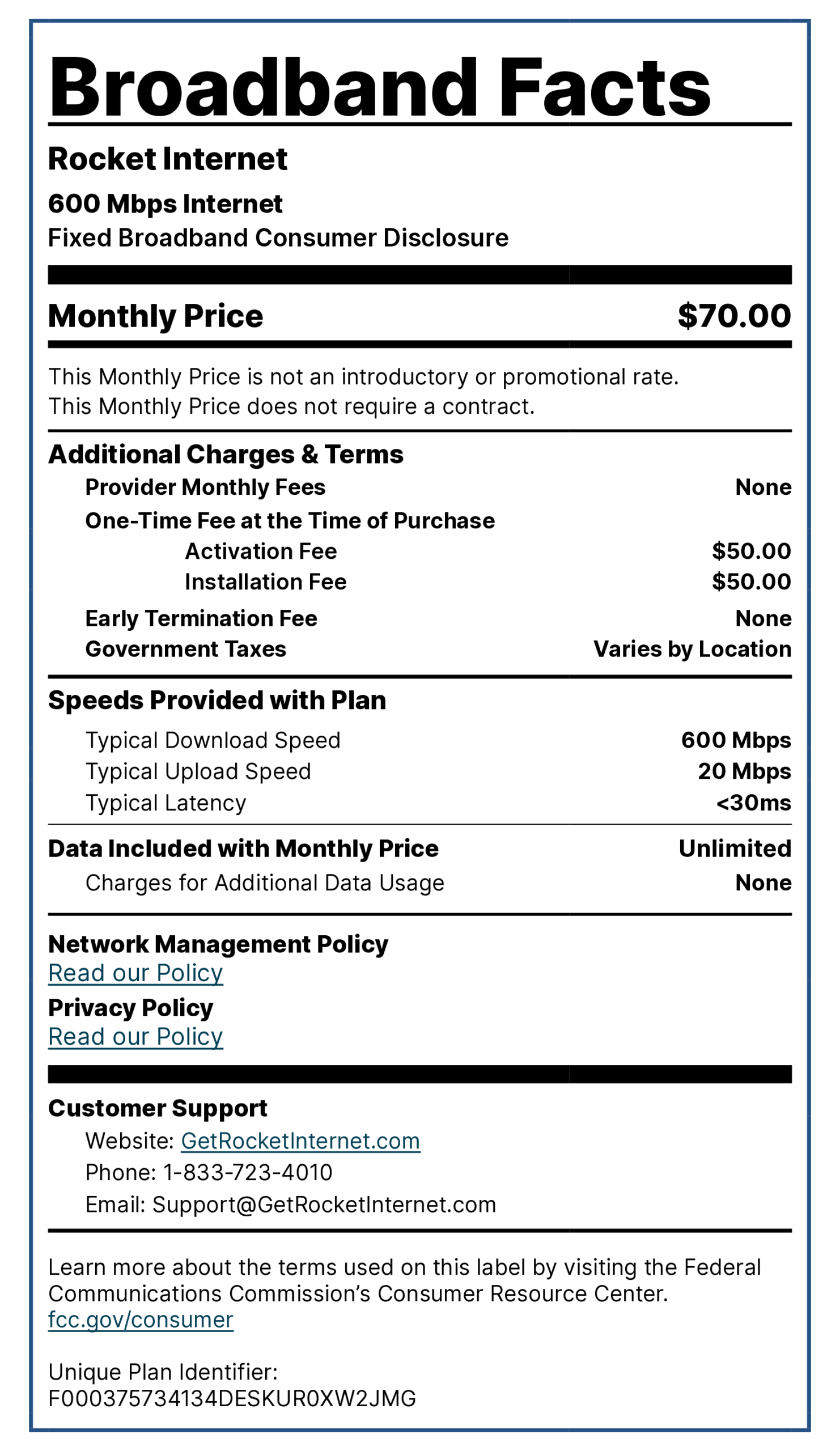
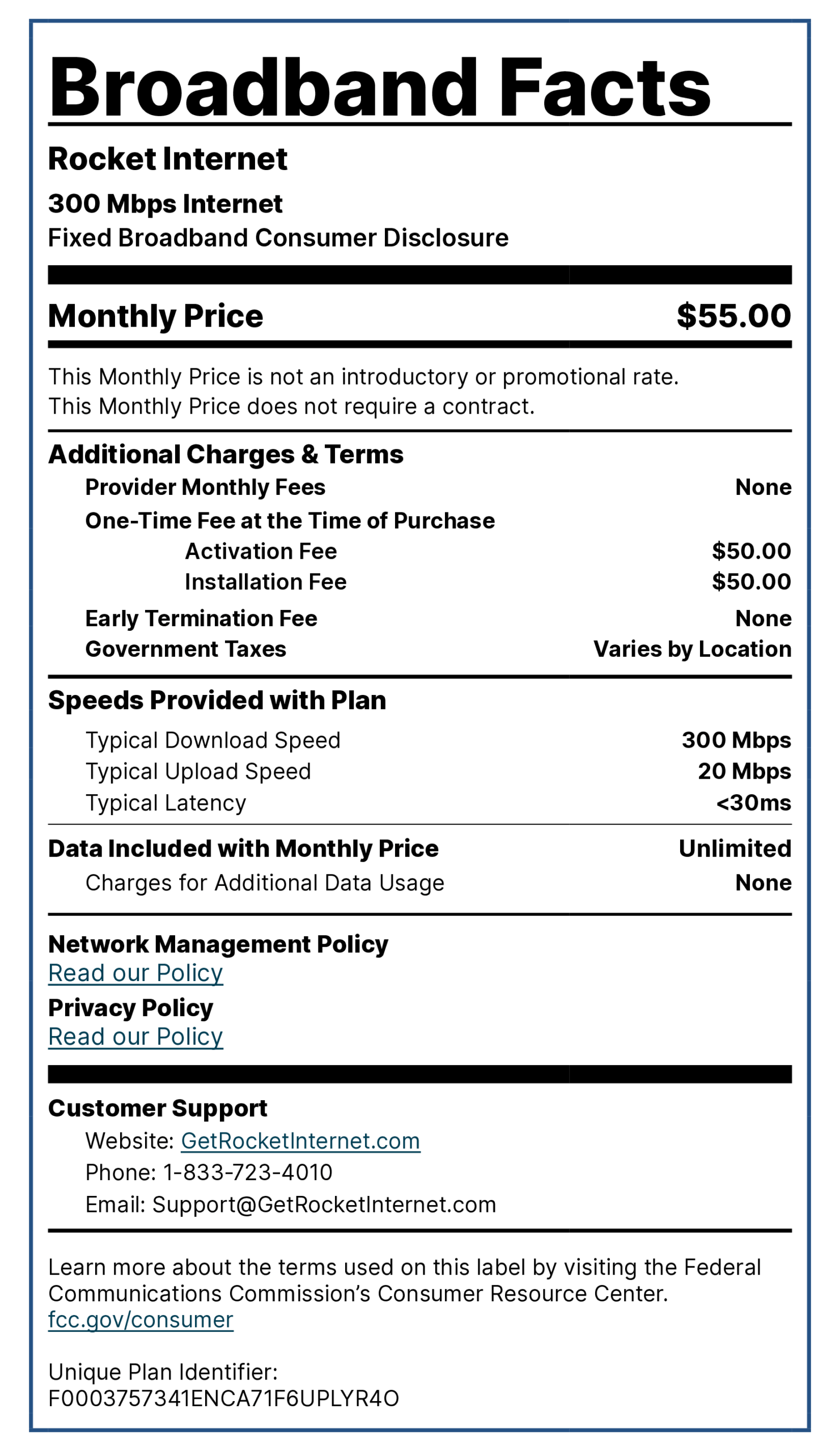
Rocket Internet was built with simplicity in mind. One flat price. No contracts. No hidden fees. The price you see is the price you pay.
We keep it simple:
Most internet providers want to sell you extras you didn’t ask for. We don’t. Our focus is delivering dependable, modern internet at a fair price – so you can stay connected without the headaches.
Rocket Internet is a digital-first, prepaid internet service that delivers fast, reliable connectivity without the clutter. No bundles. No contracts. Just the internet you need — when you need it. It’s internet that works like your favorite subscription: simple, flexible, and on your terms.
Mbps stands for Megabits per second, and Gbps stands for Gigabits per second. Both measure internet speed:
Faster internet speeds mean:
Nope. Rocket Internet doesn’t require a credit check. Everyone qualifies.
Yes. No data caps. No slowdowns. No throttling. Rocket Internet offers unlimited data with every plan.
Yes, we include a modem/router combo that is optimized for Rocket Internet. You are also welcome to use your own whole-home WiFi router with Rocket Internet. For larger homes or multi-level spaces, a single router may not provide consistent coverage throughout your home. In those cases, a whole-home WiFi system or mesh network can help to eliminate dead zones and keep your connection strong in every room.
Yes. A professional installation ensures your service is set up correctly from day one. Our technician will bring the necessary equipment, connect your home to our network, and test your speeds before leaving so you can start enjoying fast, reliable internet right away.
Yes! Prepaid internet is a pay-as-you-go model. You pay for the month in advance, and there are no commitments beyond that. It’s internet on your terms.
You can sign up in minutes online at GetRocketInternet.com. Just enter your address, choose your plan, and start service – no contracts or phone calls required.
No. Rocket Internet is not affiliated with the University of Toledo or the Toledo Rockets. We’re an independent internet provider focused on delivering fast, reliable, and affordable service.
Visit GetRocketInternet.com and log in to manage payments, update your info, view service details, and get support all in one place.
Log in to your Rocket Internet account anytime to view past payments, upcoming charges, and download receipts. We keep it all digital for your convenience.
Your monthly payment covers everything:
No. Since Rocket Internet is prepaid, you’re paying for a full month of service upfront. If you choose to stop service before the next billing cycle, no worries — there’s nothing more to pay and no prorated refunds.
Just log in at GetRocketInternet.com to manage your account. You can use a debit or credit card to prepay each month – think of it like refilling a streaming subscription.
$50 Activation Fee. No deposits.
Never. There are no contracts, and no cancellation fees. Cancel anytime.
Your billing date starts 7 days after you pay your activation fee. This allows time to schedule and complete your installation before your first month of service begins. For example, if you pay your activation fee on the 5th, your billing cycle will begin on the 12th, and your monthly renewal will occur on the 12th of each month thereafter.
No problem – just contact our support team at Support@GetRocketInternet.com. We’ll help you transfer your service if Rocket is available at your new address.
Just press and hold the reset button on the back of your Rocket modem/router for 10 seconds. If you need help, visit our support page or contact us anytime.
Rocket Internet uses a variety of modems based on service location and all include Wi-Fi capabilities. The installer will complete the setup and will provide you with the network name and password before he leaves, and the default settings can be found on a sticker on the modem and/or router provided.
For simplicity we recommend keeping the default wireless settings, however If you wish to change the name or password of your wireless network the login information credentials and links are provided below. The credentials can vary by device and the links will only work if you are already connected to your network via Wi-Fi or ethernet cable.
Please note that managing any settings on these devices is the customer’s responsibility and if you change the login credentials the only way to recover it once lost is to factory reset the equipment on your own.